
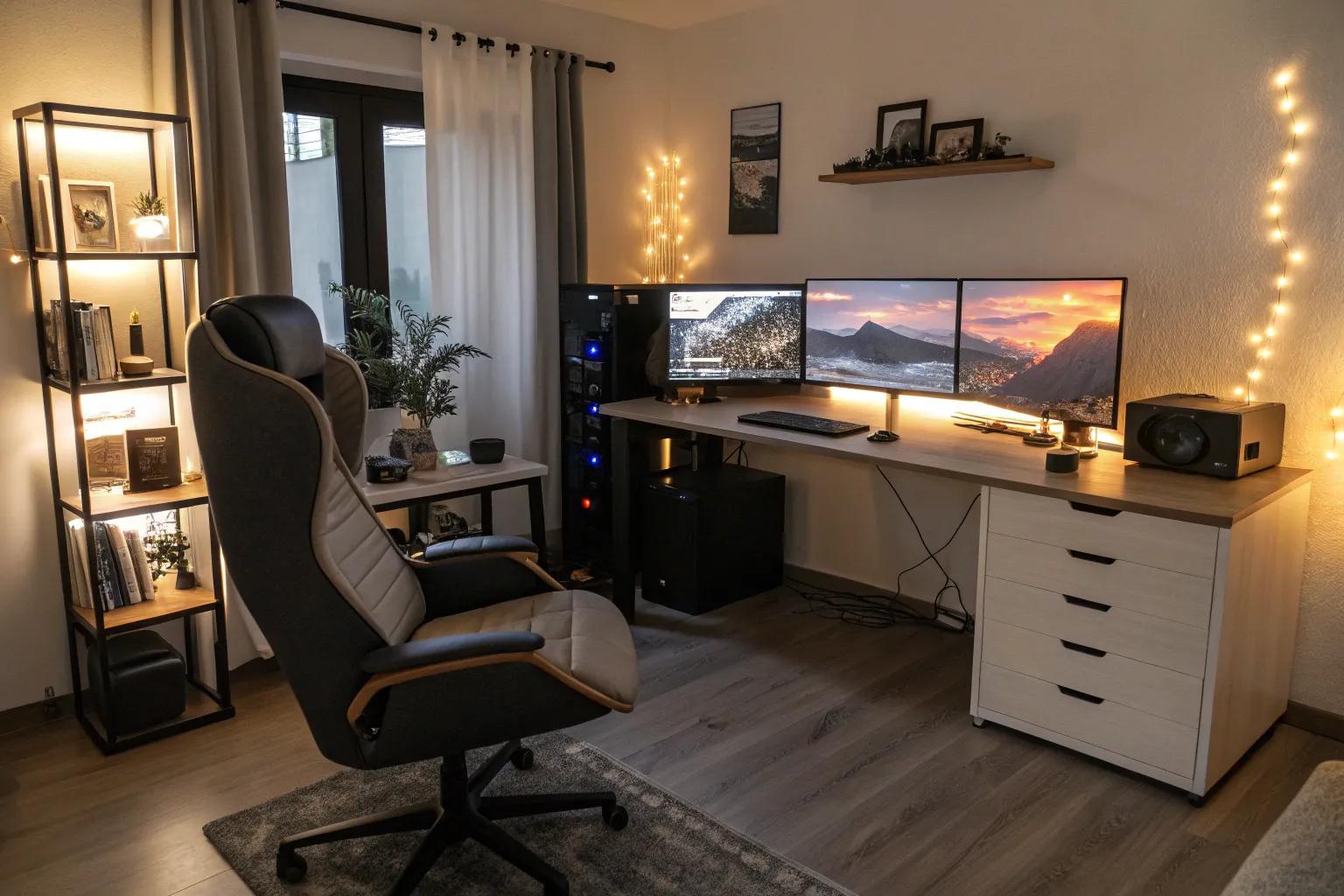
Crafting the perfect gamer setup is like designing a strategic game plan; it requires vision, creativity, and a touch of personal flair. Let’s explore some inspiring ideas to transform your gaming space into a sanctuary of fun and functionality.
1. Personalize with Wall Decor and Art

Show off your personality with gaming-themed wall art or posters. These touches not only personalize your space but also make it feel more inviting.
2. Double the Fun with Multiple Monitors

For an immersive gaming experience, consider a dual or triple monitor setup. It not only enhances your field of view but also allows for seamless multitasking, making it a game-changer in my creative designs for gamer girl spaces.
3. Illuminate with LED Lighting

Introduce vibrant LED lighting to create an atmospheric vibe that matches your gaming energy. As a fan of mood lighting, I can assure you, it transforms the entire ambiance.
4. Inspire with a Minimalist Setup

Sometimes less is more; a minimalist setup can enhance focus and reduce distractions. I’ve found that simplicity often breeds creativity.
5. Experiment with DIY Projects

Get creative with DIY projects to customize your setup. It’s a fantastic way to add personal touches and make your space truly unique. You can find inspiration for these upgrades in our dream bedroom concepts for gamers.
6. Tidy Up with Cable Management

Keep your setup sleek with effective cable management. Concealed cables not only look better but also make your space more functional.
7. Comfort First with a Gaming Chair

Invest in an ergonomic gaming chair for those long sessions. Good lumbar support is a must-have, and I’ve seen it make a world of difference for comfort in my gaming room designs.
8. Add a Touch of Green with Plants

Incorporate plants into your gaming setup for a breath of fresh air. They add a touch of nature and can help keep the environment refreshing as part of your ultimate gaming setup.
9. Keep Cool with a Well-Ventilated Space

Ensure your gaming area is well-ventilated to avoid overheating your gear. A cool setup is crucial for maintaining performance and comfort, which is a key feature in our ultimate gaming bedroom designs.
10. Create Atmosphere with a Sound-Responsive Setup

Try installing sound-responsive lighting that syncs with your game audio. It adds an extra layer of immersion that’s truly exciting.
11. Incorporate a Smart Home System

Integrate a smart home system to control lighting, sound, and more with ease. It adds a layer of convenience and modernity to your setup. You can even pair these controls with modern basement lighting ideas to create the perfect ambiance.
12. Enhance Sound with a Quality Sound System

Incorporate a quality sound system for a truly immersive audio experience. Whether through speakers or headphones, audio is key to a fantastic gaming session. You can find more inspiration for your setup in our guide to modern bedroom designs for gamers.
13. Install a Projection Setup for Large-Scale Gaming

For a truly cinematic experience, consider a projection setup. It’s an unusual choice, but projecting your games can make them larger than life.
14. Theme It Up with Themed Decor

Choose a theme for your gaming space, whether it’s futuristic or nature-inspired. I’ve had fun creating themed setups that transport you to another world, such as these Victorian bedroom themes that evoke a classic era.
15. Add a Relaxation Zone for Friends

Incorporate a relaxation zone with extra seating for friends. It’s a great way to share your space and make it more social. Explore our outdoor man cave ideas to further elevate this area.
16. Bring in Interactive Elements

Add interactive elements like dartboards or mini-games for a fun break from screen time. It keeps the energy high in your gaming zone.
17. Embrace a Retro Vibe

Bring back the nostalgia with a retro-themed setup. It’s a unique way to celebrate gaming’s roots and adds a charming character to your space.